windows-arm64
R on ARM64 Windows
Building upon earlier work by Tomáš Kalibera† we provide the resources and infrastructure for using R natively on ARM64 Windows hardware. For now this effort is fully community driven, not endorsed or supported by R-core.
Base R Installers
Base R installers are built daily on GitHub actions using the r-devel/actions workflow. You can download them here:
- R-devel: https://github.com/r-devel/windows-arm64/releases/tag/devel
- R-patched: https://github.com/r-devel/windows-arm64/releases/tag/next
- R-release: https://github.com/r-devel/windows-arm64/releases/tag/4.6.1
Because R officially does not support arm64 on Windows yet, an unpatched build would install x86_64 binary packages which leads to disaster. Therefore this build is modified to download binary packages on CRAN-like package repositories not from /bin/windows/contrib/ but instead from /bin/windows/clang-aarch64/contrib/:
- https://cran.r-universe.dev/bin/windows/clang-aarch64/contrib/4.7/PACKAGES
- https://bioc.r-universe.dev/bin/windows/clang-aarch64/contrib/4.7/PACKAGES
This directory does not exist on upstream CRAN, so there R will fall back to install from source. However the directory does exist on repositories which build Windows ARM64 binaries such as R-universe (more below).
Compiler toolchain (Rtools)
Currently we build everything with rtools45-aarch64 which was the last stable version of Rtools for arm64 released by Tomáš. This toolchain was cross-compiled from a fork of MXE and includes clang 19.1.7 with MinGW-w64 11.0.1.
After the passing of the maintainer, Rtools is de-facto unmaintained, so be aware that toolchain / library updates are unlikely any time soon, and we have to work with what we got. Fortunately it seems that tools45 is a solid release.
Binary Packages
Windows ARM64 binary packages for CRAN and BioC and other repositories are available from R-universe. The installers linked above use these mirrors by default, such that install.packages() works as expected. If you modify your repos manually, simply set the following mirrors to give R access to the clang-aarch64 binaries:
options(repos = c(
	CRAN = "https://cran.r-universe.dev",
	BIOC = "https://bioc-release.r-universe.dev"))
install.packages("tidyverse")
The R-universe website also shows CMD-check results for the packages, for example
- https://cran.r-universe.dev/dplyr#checktable
- https://bioc.r-universe.dev/S4Vectors#checktable
Note that only R packages which contain compiled (C/C++/Fortran/Rust) code are built for ARM64. For packages containing solely R code, there is no difference between x86_64 and arm64 binary, so we build only on x86_64 and serve the same binary to both architectures. This holds both for Windows and Linux.
Install-time patches
The patches folder contains a set of install-time patches to fix some CRAN and BioConductor packages that are currently broken, using the same format as the patches from Tomáš. This makes it possible to build and check other packages that depend on these (currently broken) packages.
To activate these patches in R you need to set this environment variable before building packages from source. It is not needed when you install binary packages.
Sys.setenv("_R_INSTALL_TIME_PATCHES_" = "http://contributor.r-project.org/windows-arm64/patches")
For packages that have a public Git repository, the patches have proposed upstream as pull requests. Once the fix lands on CRAN, we will remove the install patch from here, but sometimes this takes a while.
Rust Support
Rust is fully supported. As 2025 the aarch64-pc-windows-gnullvm target (which is what rtools45 needs) has tier-2 status, so we can install the toolchain using rustup:
rustup target add aarch64-pc-windows-gnullvm
However not all R packages work yet because the R package needs to invoke cargo with --target=aarch64-pc-windows-gnullvm but many older R packages are unconditionally targeting x86_64-pc-windows-gnu on Windows, which is wrong. For a simple solution, see the method from hellorust.
R packages using extendr need at least version 0.8.2 of the externdr-api cargo crate due to extendr#950.
More Tools
JAGS: a community port of JAGS for Windows ARM64 to compile rjags and runjags is available here: https://github.com/r-windows/JAGS/releases/tag/installers
Pandoc/quarto: these are standalone executables so I recommend just installing the x86_64 ones, which will run fine on ARM64 as well.
Extra libs: for system libraries that rtools/MXE does not support, an unofficial msys2 based build system is available at https://github.com/r-windows/ucrt-libs
Testing on GitHub Actions
GitHub provides free runners for windows-11-arm that you can use to test your R packages.
The popular workflows from r-lib/actions support Windows ARM64 out of the box. Simply replace or add one of your windows-latest entries with windows-11-arm and off you go.
Alternatively you can copy the canned workflow from r-universe in your own package repository to run the exact same builds and checks that R-universe would run.
Some Common Issues
- Packages unconditionally passing
-msseflags to the C/C++ compiler fails because these extensions are not available on arm64 example - Autotools configure scripts often misdetect mingw on arm64, and generates MSVC style ‘.lib’ files and commands
- Windows ARM64 does not have MPI. So packages like Rmpi do not work.
- DuckDB itself works but some duckdb extensions are not available
Debugging Setup for MacOS
For debugging you can use VMware fusion on MacOS (free version) to run Windows 11 for ARM (downloaded from https://www.microsoft.com/en-us/software-download/windows11arm64) on Apple M1+ hardware.
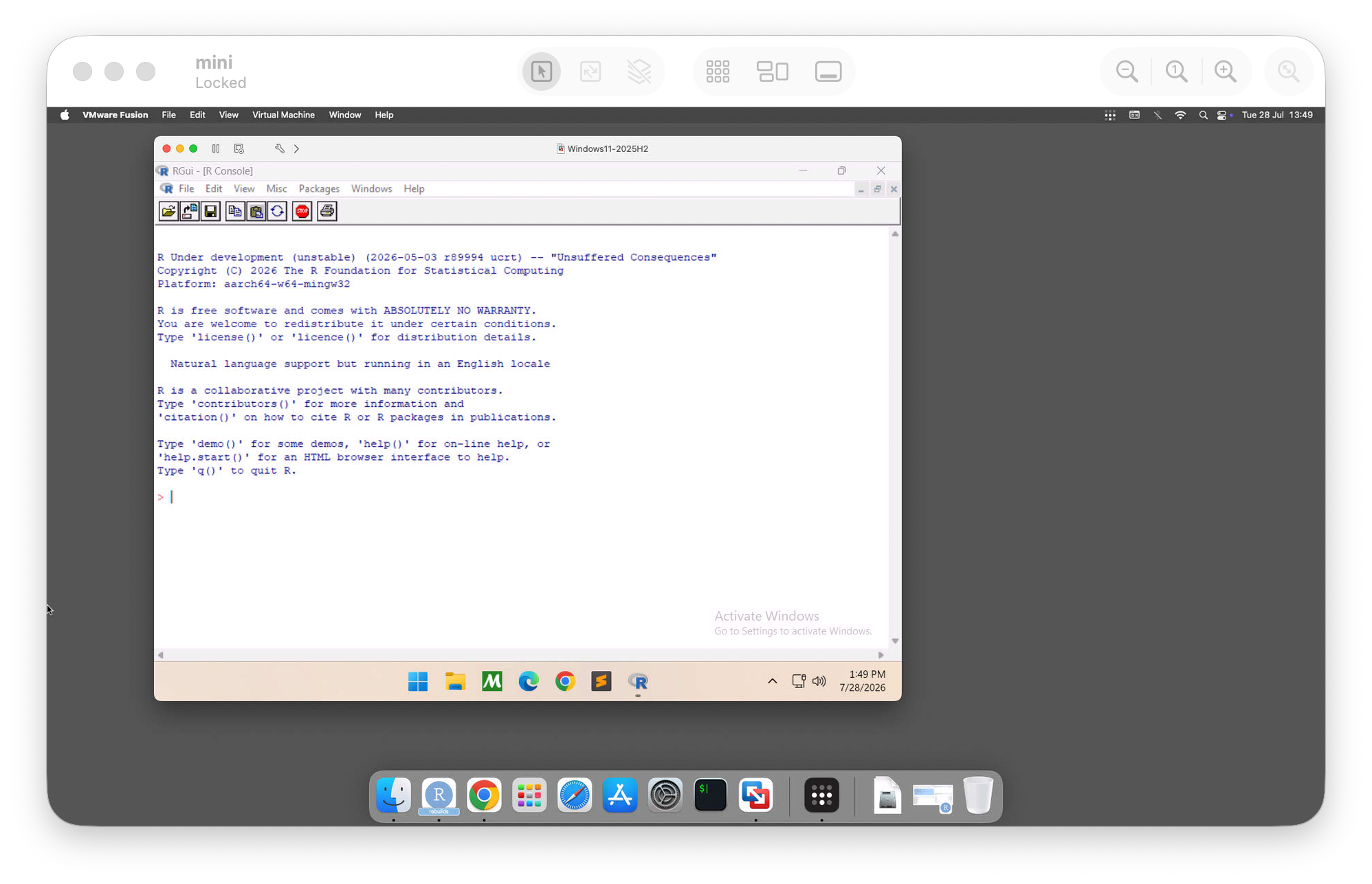
You can run this on your macbook, but VMware can be a bit battery hungry. So I personally run it on a Mac Mini server that I keep at home. In the Windows VM you can enable RDP (remote access) to connect using any RDP client (confusingly called “Windows App” on MacOS these days), which works well. Finally tailscale also works well on Windows ARM64 so if you install that on the Windows VM and your macbook, you can RDP to the Windows machine from anywhere in the world.